

Not ready to upload a vehicle but want to see the market estimate? No problem!
The Auto Hauler Exchange (AHX) Market Estimate Tool is designed to help shippers make informed pricing decisions based on real-time market data. Unlike traditional models, AHX does not allow brokers on the platform, and we give shippers full control over pricing their own loads.
This tool provides a market average estimate for similar shipments to help guide your decision, not a binding quote or guaranteed rate.
Step 1: Log In to Your AHX Account
Log in to your account using your shipper credentials. New to AHX? Request an account to get started.
Step 2: Open the Market Estimate Tool
There are two ways in:
- Click Market Estimates in the top right corner of any page.
- On the Market Insights home page, click Get Market Estimate under Quick Actions.
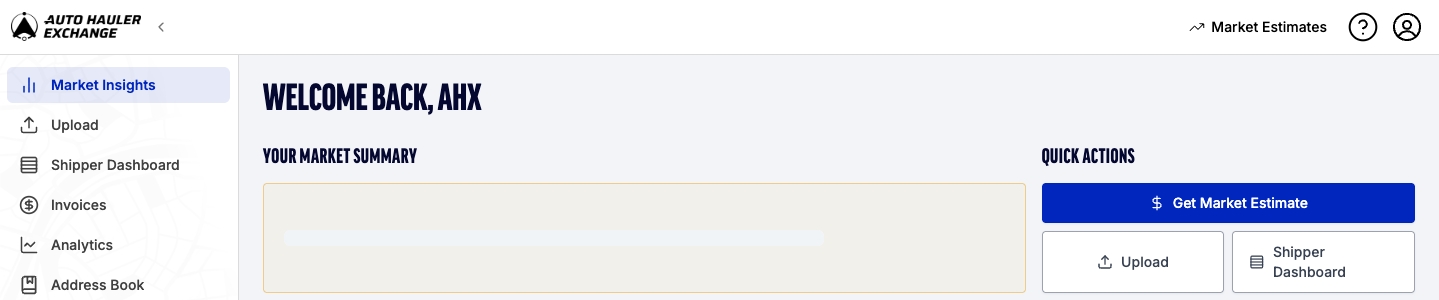
Both take you to the Market Estimates page. The New Estimate form is on the left, and your Recent Estimates are below it.

Step 3: Enter the Route
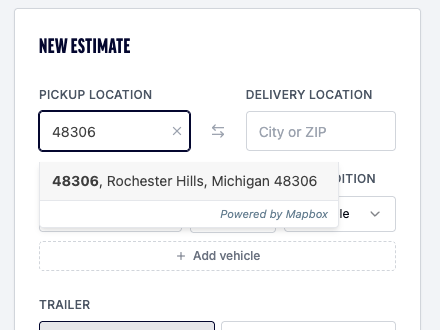
Type a city or ZIP code into Pickup Location and Delivery Location, then pick the matching place from the list that appears. The estimate needs a place chosen from the list, so don't just type the ZIP and move on.
Use the arrows between the two fields to swap pickup and delivery.
Tip: Use accurate ZIP codes for the best pricing results.
Step 4: Add your vehicles
For each vehicle, set:
- Vehicle: choose a type (Compact, Sedan, SUV, Truck or Van), or choose Enter VIN and type the 17-character VIN. AHX decodes the VIN and shows the year, make and model in its place.
- Qty: use the minus and plus buttons for more than one of the same vehicle.
- Condition: Operable or Inoperable. Inoperable vehicles take more work to load, so they cost more.
Shipping different vehicles on the same route? Click Add vehicle to add another line.
Then choose the Trailer: Open or Enclosed. Enclosed costs more than open.

Step 5: Get your estimate
Click Get Estimate. The Market Rate panel opens next to the form, with the route drawn on the map.
Here's what the Market Rate panel shows:
- Suggested posting range: the range of carrier rates to post the load at, with the rate per mile.
- Flexible and Standard: two price points, each with how fast loads like it usually book (for example "Books in ~22 hrs") and the share that book within 48 hours. Standard is marked Best. Flexible is lower and usually takes a little longer to book. Click a card, or drag the slider between Lower price and Faster booking, to compare them.
- Delivery time: how long delivery usually takes after the load is booked (for example "Delivers in ~3–6 days after booking").
- Market estimate, all-in: what you'd pay in total, which is the carrier rate plus the AHX platform fee.
- Vehicles, Route, Distance and Drive Time for the trip.
Click View Estimated Total to see the breakdown: carrier rate, platform fee, and estimated all-in total.
Booking and delivery times are based on similar loads in the past. They aren't guaranteed.
To try a different vehicle, condition or trailer, change the form and click Get Another Estimate. Click Reset to clear the form and start over.
Step 6: Find past estimates in Recent Estimates
Every estimate is saved under Recent Estimates on the same page. Each row shows the date, route, vehicle, trailer type, condition, vehicle count, AHX quote, cost per mile and distance, so you can compare lanes without running them again.
Step 7: Post the load
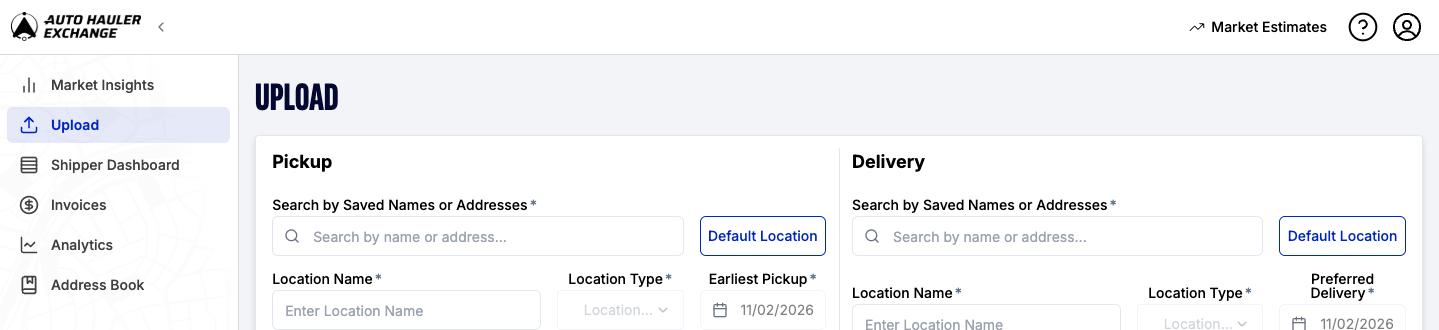
Happy with the price? Click Post This Load at the bottom of the Market Rate panel. The Upload page opens in a new tab, where you add the pickup and delivery details and post the load to the Exchange.
Where the numbers come from
The estimate is built from what carriers are paid on AHX for similar vehicles on similar lanes, recently and over time. Booking and delivery times come from the history of similar loads.
Need help or have questions? Reach out to our support team anytime, we’re here to help!


